
Fast Computer for Photo Editing: Performance Guide 2026
Photo editing demands speed, precision, and stability. Therefore, many creators search for a fast computer for photo editing today.
Modern cameras produce massive RAW files. For example, professional cameras often capture images above 40 megapixels.
Consequently, slow computers struggle with large files and complex edits. However, the right hardware dramatically improves editing performance.
This guide explains what makes a computer truly fast for photo editing. Additionally, it highlights the latest hardware trends in 2026.
Why Speed Matters in Photo Editing
Photo editing software uses several hardware resources simultaneously. Programs like Photoshop and Lightroom process heavy image data.
First, RAW files contain far more information than compressed images. Therefore, editing them requires strong processing power.
Second, modern tools include AI features and advanced masking tools. These features demand additional CPU and GPU acceleration.
For instance, AI-powered masking or noise reduction processes thousands of pixels instantly. Without a fast computer, these tasks become frustratingly slow.
Hence, professionals prioritize performance when choosing editing computers.

Key Hardware Components for a Fast Computer
Choosing the right components ensures smooth photo editing workflows. Let us examine the most important hardware elements.
Processor (CPU)
The processor handles most editing calculations. Therefore, it plays a central role in editing performance.
Modern editing software prefers multi-core processors with high clock speeds. For example, Intel Core i7, Ryzen 7, or Apple M-series chips perform exceptionally well.
A six-to-eight core processor is recommended for serious photographers. These processors improve export speed and slider responsiveness. Furthermore, new chips also include AI accelerators for creative applications.
RAM (Memory)
RAM allows your computer to handle multiple editing tasks simultaneously.
Today, 16GB RAM represents the realistic minimum for editing. However, 32GB RAM delivers smoother multitasking across editing applications.
For example, photographers often run Adobe, Lightroom, Photoshop, and browsers simultaneously. More RAM prevents lag when working with layered images.
Additionally, high-resolution images require more memory during editing. Therefore, professionals increasingly choose 32GB or even 64GB RAM systems.
Graphics Card (GPU)
Many editing tasks now benefit from GPU acceleration.
Modern software uses GPUs for AI masking, filters, and rendering. Consequently, a dedicated GPU improves performance dramatically.
Mid-range GPUs like RTX 4050 or RTX 4060 handle editing workloads smoothly. Even integrated GPUs in modern chips perform surprisingly well.
However, heavy editing with large RAW catalogs benefits from stronger GPUs. Therefore, professionals often select systems with dedicated graphics.
SSD Storage
Storage speed significantly impacts editing workflows.
Traditional hard drives slow down file access and exports. Instead, SSD storage loads images almost instantly.
NVMe SSD drives offer the fastest speeds today. They improve project loading, catalog browsing, and export times.
Experts recommend at least 512GB SSD storage for editing projects. Nevertheless, many photographers prefer 1TB or more.
Display Quality
A fast computer also requires a high-quality display. Photo editing demands accurate colors and high resolution. Therefore, editors prefer displays covering 100% sRGB or Adobe RGB. High-resolution displays reveal details missed on basic monitors. Consequently, color-accurate screens improve editing precision and workflow efficiency.

Laptop vs Desktop: Which Is Better?
Different creators prefer different computer setups. Fortunately, modern technology offers several powerful options.
High-Performance Laptops
Modern laptops now deliver impressive performance.
Best for:
- Photographers who travel
- On-site editing
Examples:
- MacBook Pro (M3 Pro / Max)
- High-end Windows creator laptops
Desktop Workstations
Desktops offer maximum performance.
Advantages:
- More powerful hardware
- Better cooling
- Easy upgrades
Best for:
- Studios
- Heavy editing workflows
Budget Editing Computers
You do not need an expensive setup to start.
A mid-range system can handle:
- Basic Lightroom edits
- Small RAW projects
However, performance limits will appear with large workloads.
Real Performance Comparison (Example)
Here is a practical scenario:
Task: Export 100 RAW images in Lightroom
- Entry-level laptop: 15–20 minutes
- Mid-range system: 6–10 minutes
- High-end workstation: 2–5 minutes
This difference becomes critical in professional workflows.
Latest Trends in Photo Editing Computers
The hardware landscape is evolving rapidly.
Key trends include:
- AI-accelerated CPUs with neural engines
- Increased GPU dependency in editing software
- Unified memory architecture (Apple Silicon)
- Faster NVMe Gen 4 / Gen 5 SSDs
These technologies improve speed and reduce bottlenecks.
Tips to Maximize Computer Speed
Even powerful computers require optimization.
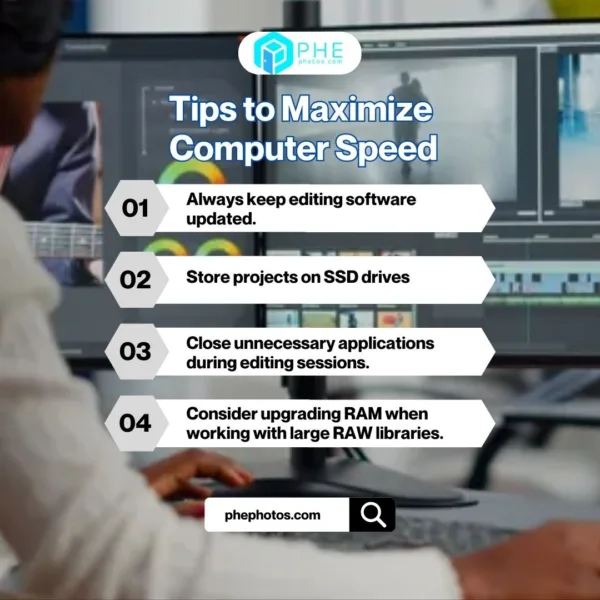
First, always keep editing software updated. Updates often improve performance and stability.
Second, store projects on SSD drives. This dramatically improves loading and export speeds.
Third, close unnecessary applications during editing sessions.
Finally, consider upgrading RAM when working with large RAW libraries.
These steps significantly improve editing efficiency.
Final Thoughts
A fast computer for photo editing transforms your creative workflow. High-resolution cameras demand strong hardware and efficient systems. Therefore, investing in powerful processors, sufficient RAM, and SSD storage is essential. Modern hardware now supports advanced editing and AI tools effortlessly. Consequently, photographers can focus on creativity instead of slow performance. Choose the right computer, and editing becomes faster, smoother, and more enjoyable.
FAQ
How much RAM is enough for photo editing?
16GB is the minimum. 32GB is recommended for smooth multitasking.
Is GPU important for Lightroom?
Yes. Modern versions use GPU for AI tools and performance acceleration.
Should I choose laptop or desktop?
Choose a laptop for mobility. Choose a desktop for maximum performance.
What is the most important component?
The CPU and RAM have the biggest impact on overall editing speed.
Read more:
Professional Retouching Photo Editing: Techniques That Work
Modern Portrait Photo Editing: A Clear Guide to Today’s Techniques
The Best Camera in Real Estate Photography: 2025’s Top Picks Explained